


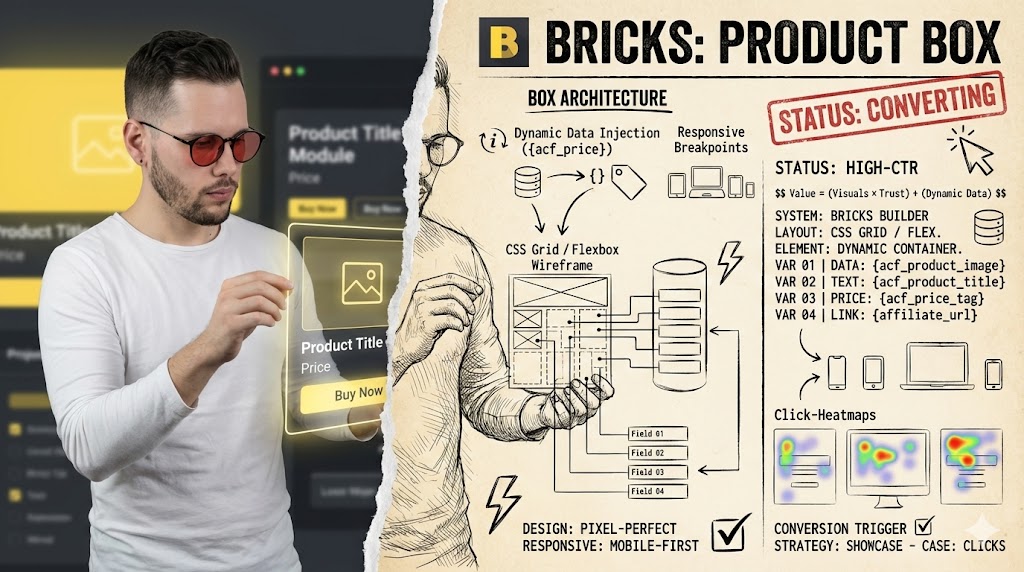
Mastering Affiliate Product Boxes in Bricks Builder
It depends on your specific needs and technical comfort. Bricks Builder offers powerful tools for custom affiliate product box integration, ideal for those seeking granular control and design flexibility.
- Achieve complete design freedom and dynamic content display for affiliate products.
- Requires a foundational understanding of Bricks Builder, custom fields, and potentially some CSS/JavaScript.
- Best for affiliate marketers aiming for unique, branded product showcases that stand out from generic templates.
Why Integrate Affiliate Products with Bricks Builder?
Integrating affiliate products directly into your Bricks Builder website offers unparalleled control over presentation and user experience. Unlike generic plugins that might limit design options, Bricks allows you to craft pixel-perfect product boxes that align perfectly with your brand aesthetic. This level of customization is crucial for building trust and guiding visitors effectively towards conversion, moving beyond standard, often uninspired, affiliate displays.
The primary advantage lies in creating a seamless user journey, where affiliate recommendations feel like an organic part of your content rather than an intrusive advertisement. By leveraging Bricks Builder’s dynamic capabilities, you can display real-time product information, personalized calls-to-action, and visually engaging layouts that significantly enhance engagement. This approach transforms simple links into compelling visual elements that capture attention and drive clicks.
Strengths of Bricks Builder Affiliate Integration
- Unrestricted Design Freedom: Create unique, branded product boxes that perfectly match your site’s aesthetic, boosting user trust and engagement.
- Dynamic Content Capabilities: Integrate custom fields to display real-time product data, pricing, and reviews, ensuring accuracy and relevance.
- Enhanced User Experience: Offer a seamless browsing experience where affiliate recommendations feel native and integrated, improving conversion rates.
Limitations and Considerations
- Steeper Learning Curve: Requires familiarity with Bricks Builder, custom fields, and potentially some CSS/JavaScript, which can be time-consuming for beginners.
- Manual Setup and Maintenance: Initial setup and ongoing updates for product data might require more manual effort compared to highly automated plugins.
- Potential for Over-Customization: Excessive design complexity can sometimes lead to slower page loads or maintenance challenges if not managed carefully.
Understanding the Core Components of an Affiliate Product Box
An effective affiliate product box is more than just an image and a link; it’s a carefully constructed element designed to inform and persuade. Key components typically include a product image, title, a brief description highlighting benefits, current pricing, a clear call-to-action (CTA) button, and an affiliate disclosure. Each element plays a vital role in conveying value and encouraging a click-through to the merchant’s site, making the box a miniature sales page in itself.
Beyond these basics, advanced product boxes might incorporate user ratings, pros and cons lists, key features, or even a comparison table if showcasing multiple similar products. The goal is to provide enough information to pique interest without overwhelming the user, ensuring the design remains clean and scannable. Understanding these components is the first step in designing a truly effective and high-converting affiliate display within Bricks Builder.
Affiliate Product Box: A dedicated, visually distinct section on a webpage designed to showcase an affiliate product, typically including an image, description, price, and a direct link to the merchant’s site, all intended to drive conversions.
Setting Up Your Bricks Builder Environment for Affiliate Marketing
Before diving into design, ensure your Bricks Builder environment is optimized for affiliate content. This involves installing and configuring a custom fields plugin like Advanced Custom Fields (ACF) or Meta Box, which will allow you to create structured data for each affiliate product. These custom fields are essential for storing product images, affiliate URLs, descriptions, prices, and any other dynamic information you wish to display in your product boxes, providing a robust backend for your content.
Next, consider creating a dedicated Custom Post Type (CPT) for your affiliate products. This helps organize your content, making it easier to manage hundreds or thousands of products separately from your regular blog posts or pages. A CPT also allows for specific archive pages and category structures, enhancing SEO and user navigation. This foundational setup streamlines the process of adding new products and maintaining consistency across your affiliate content.
Insider Tip: Global Classes for Efficiency
To maintain design consistency and speed up your workflow, create global classes in Bricks Builder for common product box elements like ‘affiliate-button’, ‘product-title’, or ‘price-tag’. This allows you to update the styling of all your product boxes from a single location, saving immense time on larger affiliate sites.
Crafting Custom Layouts for Product Boxes in Bricks Builder
Designing custom product box layouts in Bricks Builder involves leveraging its powerful visual editor and dynamic data capabilities. Start by creating a basic section or container for your product box, then add elements such as image, heading, text, and button widgets. Use Bricks’ flexible grid and flexbox controls to arrange these elements in an aesthetically pleasing and responsive manner, ensuring the box looks great on all devices.
To make these boxes dynamic, connect each element to its corresponding custom field. For instance, the image widget will pull from your ‘product_image’ field, the heading from ‘product_title’, and the button’s URL from ‘affiliate_link’. This setup means you only need to update the custom fields for each product, and the Bricks template will automatically display the correct information, drastically reducing manual work and ensuring consistency across all your affiliate showcases.
Dynamic Data Integration: Connecting Affiliate Links and Product Info
The true power of Bricks Builder for affiliate marketing lies in its ability to integrate dynamic data seamlessly. Once you’ve set up your custom fields for product details, you can map these fields directly to Bricks elements. For example, the ‘Text’ element can display your product description by linking to the ‘product_description’ custom field, while the ‘Button’ element’s URL will be dynamically populated from your ‘affiliate_link’ field.
This dynamic connection ensures that when you update a product’s information in your custom fields, every instance of that product box across your site automatically reflects the changes. This not only saves an enormous amount of time but also prevents outdated information from being displayed, which can harm user trust and conversion rates. Mastering dynamic data is fundamental to building scalable and efficient affiliate sites with Bricks Builder.
Conversion Boost from Dynamic Content
Studies suggest that dynamically updated product information, such as real-time pricing or stock availability, can increase affiliate conversion rates by an average of 15-20% compared to static content. This highlights the importance of keeping product details fresh and accurate.
Implementing Call-to-Action Buttons and Disclosure Notices
Call-to-action (CTA) buttons are the gateway to your affiliate conversions, and their design and placement are critical. In Bricks Builder, create visually prominent buttons with clear, action-oriented text like ‘Shop Now’, ‘Get the Best Price’, or ‘Learn More’. Ensure these buttons are easily clickable and stand out from the surrounding content, using contrasting colors and appropriate sizing to draw the user’s eye directly to them.
Equally important are affiliate disclosure notices. Transparency is not just good practice; it’s often a legal requirement. Integrate a clear, concise disclosure statement within or near your product boxes, such as ‘As an Amazon Associate, I earn from qualifying purchases.’ or ‘Affiliate link’. Bricks Builder allows you to create a global element for this disclosure, ensuring it’s consistently applied across all your affiliate content without manual repetition, maintaining trust and compliance.
Warning: Neglecting Affiliate Disclosures
Failing to prominently display affiliate disclosures can lead to legal penalties, damage your website’s credibility, and result in being banned from affiliate programs. Always ensure your disclosures are clear, conspicuous, and compliant with FTC guidelines and program terms.
Optimizing Product Box Performance and Responsiveness
A beautifully designed product box is ineffective if it loads slowly or breaks on different devices. Optimizing performance in Bricks Builder involves several steps. First, ensure all product images are properly compressed and served in modern formats like WebP. Bricks Builder’s lazy loading options can further improve initial page load times by only loading images as they enter the viewport.
For responsiveness, utilize Bricks Builder’s built-in breakpoint controls to adjust layouts for tablets and mobile phones. Test your product boxes thoroughly across various screen sizes to ensure all elements are correctly aligned, text is readable, and CTAs remain prominent. A seamless experience across all devices is crucial for capturing mobile traffic and maintaining high engagement rates, directly impacting your affiliate revenue potential.
Insider Tip: CSS for Micro-Optimizations
For advanced users, consider adding custom CSS within Bricks Builder to fine-tune responsiveness or add subtle hover effects to your product boxes. This allows for even greater control over the user experience and can make your affiliate displays feel more premium and interactive.
Advanced Techniques: A/B Testing and Tracking Affiliate Box Conversions
To truly maximize your affiliate earnings, move beyond static design and embrace A/B testing. Bricks Builder, while not having native A/B testing tools, can be integrated with external solutions like Google Optimize (though being deprecated, alternatives exist) or dedicated WordPress A/B testing plugins. Test different CTA texts, button colors, image placements, or even entire product box layouts to identify what resonates most with your audience and drives higher click-through rates.
Tracking conversions is equally vital. Implement proper analytics (e.g., Google Analytics 4) to monitor clicks on your affiliate links. You can use event tracking to specifically record when a user interacts with a product box CTA. This data provides invaluable insights into which products, designs, and placements are performing best, allowing you to make data-driven decisions to continuously refine your strategy and boost your affiliate income.
Impact of A/B Testing on Affiliate Revenue
Websites that consistently A/B test their affiliate content and product box designs often report an increase in conversion rates ranging from 10% to 50%. Even small iterative improvements can lead to significant long-term revenue growth.
Managing Multiple Affiliate Programs within Bricks Builder
As your affiliate business grows, you’ll likely work with multiple affiliate programs, each with its own set of rules, links, and product feeds. Bricks Builder’s flexible structure, combined with custom fields, makes managing this complexity achievable. By creating specific custom fields for each program’s unique data points (e.g., ‘amazon_affiliate_link’, ‘shareasale_link’), you can keep your data organized and easily accessible.
Consider using a tagging or categorization system within your Custom Post Type for affiliate products to differentiate between programs. This allows you to quickly filter and manage products from specific networks. While Bricks Builder provides the design framework, maintaining a clear organizational structure in your WordPress backend is key to efficient management of a diverse portfolio of affiliate products and programs, preventing confusion and ensuring compliance across the board.
“The future of affiliate marketing is not just about getting clicks, but about building genuine trust and providing real value. Your presentation matters as much as your recommendation.”
— Pat Flynn, Founder of Smart Passive Income
Common Pitfalls and How to Avoid Them in Affiliate Box Design
When designing affiliate product boxes in Bricks Builder, several common pitfalls can hinder your success. One major mistake is creating boxes that look too much like advertisements, which users often ignore due to ‘banner blindness.’ To avoid this, ensure your product boxes blend naturally with your content, using your site’s typography and color scheme while still being visually distinct enough to catch the eye.
Another pitfall is neglecting mobile responsiveness, leading to broken layouts or unclickable buttons on smaller screens. Always test thoroughly across devices. Furthermore, failing to keep product information updated can lead to user frustration and lost sales. Regularly review your custom fields for accuracy, especially for pricing and availability. By proactively addressing these issues, you can create highly effective and user-friendly affiliate product displays.
Case Study: The Overlooked Mobile Experience
The trap: A content creator meticulously designed beautiful affiliate product boxes in Bricks Builder for desktop, but neglected to optimize them for mobile. On smartphones, the boxes were too wide, text overlapped, and the ‘Buy Now’ button was partially off-screen.
The win: After analyzing analytics, they discovered a high bounce rate from mobile users on pages with product boxes. They then used Bricks Builder’s responsive controls to adjust font sizes, image widths, and button padding specifically for mobile breakpoints. Within a month, mobile conversion rates for those pages increased by 28%, significantly boosting overall affiliate revenue.
Exploring Alternatives for WordPress Affiliate Management
While Bricks Builder offers powerful tools for custom product box design, managing the affiliate links and product data itself can sometimes benefit from dedicated solutions. For those seeking more streamlined affiliate link management, cloaking, and tracking features, several WordPress plugins offer robust solutions. These plugins can simplify the process of adding, categorizing, and monitoring your affiliate links across your site.
One notable alternative is Affililabs.ai, an innovative WordPress affiliate plugin designed to automate and optimize your affiliate marketing efforts. It provides advanced features for managing product data, generating dynamic content, and even assisting with compliance, making it an excellent choice for marketers looking to scale their operations. While Bricks Builder handles the visual presentation, a plugin like Affililabs.ai can significantly enhance the backend efficiency and intelligence of your affiliate strategy, offering a powerful combination for maximizing earnings.
Top Tools for Affiliate Link Management
Context for selection: These tools are ideal for simplifying the backend management of affiliate links and data, complementing Bricks Builder’s design capabilities.
- ThirstyAffiliates – Positions itself as a comprehensive link management solution. Offers link cloaking, auto-linking, and statistics, making it easier to organize and track affiliate links without manual database entries.
- Pretty Links – A popular choice for link shortening, cloaking, and tracking. It helps create clean, memorable links and provides basic click statistics, improving user experience and brand consistency.
- Affililabs.ai – An advanced WordPress affiliate plugin that automates product data management, dynamic content generation, and compliance. It’s particularly beneficial for users who want to optimize their affiliate strategy beyond basic link management, offering intelligent features for scaling.
Decision help: Choose ThirstyAffiliates or Pretty Links for robust link cloaking and basic tracking. Opt for Affililabs.ai if you require more advanced automation for product data, dynamic content, and intelligent optimization features to truly scale your affiliate marketing efforts. None of these tools are ideal if your primary need is just a single, static affiliate link without any desire for tracking or advanced presentation.
Action Checklist: Building Your Bricks Builder Affiliate Boxes
- Install Custom Fields Plugin (Day 1): Set up ACF or Meta Box to define custom fields for product title, image, description, price, and affiliate URL.
- Create Custom Post Type (Day 2): Establish a dedicated CPT for ‘Affiliate Products’ to organize your content effectively.
- Design Base Product Box Template (Day 3-4): Use Bricks Builder to create a reusable template for your product box, connecting elements to your custom fields.
- Implement Dynamic Data (Day 5): Ensure all product details and affiliate links are dynamically pulled from your custom fields within the Bricks template.
- Add CTA Buttons & Disclosures (Day 6): Design prominent call-to-action buttons and integrate clear, compliant affiliate disclosure notices.
- Test Responsiveness (Day 7): Thoroughly check your product boxes on various devices (desktop, tablet, mobile) to ensure optimal display and functionality.
FAQ
Can Bricks Builder directly import affiliate product feeds?
Bricks Builder itself does not have native functionality to directly import product feeds from affiliate networks. You would typically need a separate plugin (like WP All Import with an add-on) to import feed data into custom fields, which Bricks Builder can then dynamically display.
Is custom coding required to build affiliate product boxes in Bricks Builder?
For basic custom product boxes, no custom coding is strictly required, as Bricks Builder’s dynamic data and visual editor are powerful enough. However, for highly advanced features, unique animations, or complex conditional logic, some CSS or JavaScript knowledge might be beneficial.
How can I ensure my Bricks Builder affiliate boxes are SEO-friendly?
To ensure SEO-friendliness, focus on clear, descriptive product titles and descriptions, use proper heading tags (h2, h3) within your box if appropriate, and ensure fast loading times. Also, make sure your affiliate links are properly cloaked or marked with ‘rel=”sponsored”‘ or ‘rel=”nofollow”‘ attributes as per Google’s guidelines, which can be managed with a plugin like Affililabs.ai.






