


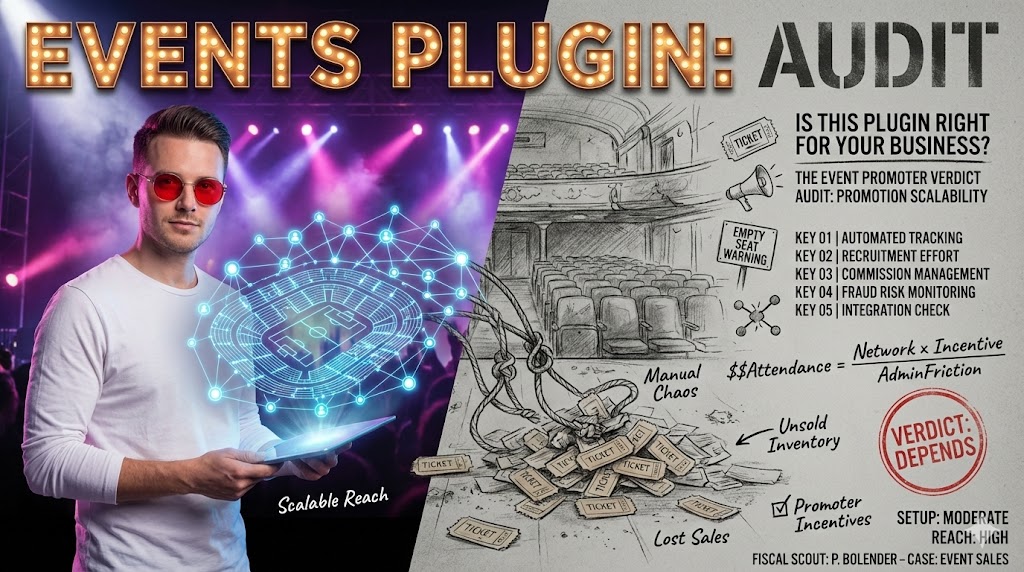
Is an Events Affiliate WordPress Plugin Right for Your Business?
DEPENDS. It is highly suitable for event organizers, ticketing platforms, or content creators looking to monetize event promotions through a structured, automated system.
- Automates affiliate tracking and commission payouts, significantly reducing administrative overhead.
- Requires initial setup and ongoing management to recruit and engage affiliates effectively.
- Ideal for businesses with a clear event promotion strategy seeking scalable revenue streams.
What is an Events Affiliate WordPress Plugin?
An events affiliate WordPress plugin is a specialized tool designed to integrate affiliate marketing functionalities directly into a WordPress website that hosts or promotes events. This plugin allows website owners to create, manage, and track affiliate programs, enabling others to promote their events in exchange for a commission. It streamlines the entire process from affiliate registration to commission payouts, making it a crucial asset for expanding event reach.
These plugins typically handle various aspects of an affiliate program, including unique referral link generation, performance tracking, and automated commission calculations. They eliminate the need for manual tracking, which can be prone to errors and consume significant time. For businesses focused on event promotion, such a plugin offers a robust framework for building a network of promoters.
- Affiliate Registration: Simplifies the sign-up process for new affiliates.
- Link Generation: Automatically creates unique tracking links for each affiliate.
- Performance Dashboards: Provides affiliates with insights into their referrals and earnings.
- Commission Management: Sets up different commission rates and payment thresholds.
- Reporting Tools: Offers detailed analytics on affiliate performance and sales.
Why Use an Events Affiliate Plugin for Event Promotion?
Leveraging an events affiliate plugin can significantly amplify the visibility and sales of your events by tapping into a wider network of promoters. Instead of relying solely on in-house marketing efforts, you empower others to spread the word, often reaching audiences you might not otherwise access. This approach is particularly effective for niche events or those targeting specific demographics, as affiliates can be chosen for their relevance.
The primary benefit lies in its performance-based marketing model, where you only pay commissions when a sale or successful referral occurs. This reduces upfront marketing costs and ensures a higher return on investment compared to traditional advertising. It also fosters a community of motivated promoters who are incentivized to drive results. Many businesses initially hesitate due to perceived complexity, but modern plugins simplify the process considerably.
- Expanded Reach: Access new audiences through affiliate networks.
- Cost-Effective Marketing: Pay only for successful conversions, minimizing risk.
- Increased Sales: Drive higher ticket sales and registrations.
- Brand Credibility: Gain endorsements from trusted affiliates.
- Automated Processes: Reduce manual workload for tracking and payouts.
Advantages of Events Affiliate Plugins
- Scales event promotion without increasing fixed marketing budgets.
- Provides detailed analytics to optimize affiliate campaigns and identify top performers.
- Automates complex commission calculations and payout schedules, saving administrative time.
Limitations of Events Affiliate Plugins
- Requires significant effort in recruiting and managing a high-quality affiliate network.
- Can incur transaction fees or subscription costs that impact overall profitability.
- Potential for affiliate fraud or low-quality traffic if not properly monitored and managed.
Key Features to Look for in an Events Affiliate Plugin
When selecting an events affiliate WordPress plugin, identifying the right features is crucial for long-term success. A robust plugin should offer comprehensive tracking capabilities, flexible commission structures, and seamless integration with your existing event management system. Prioritize plugins that provide clear, actionable reporting, as this data is vital for optimizing your affiliate program and ensuring its profitability.
Consider features that support various affiliate models, such as tiered commissions or bonuses for top performers. The user interface for both administrators and affiliates should be intuitive, reducing the learning curve and encouraging participation. Security features are also paramount to protect against fraud and ensure fair tracking. A common mistake is choosing a plugin based solely on price, overlooking essential functionalities.
- Accurate Tracking: Reliable tracking of clicks, conversions, and referrals.
- Flexible Commissions: Support for percentage, fixed, or tiered rates.
- Payout Options: Integration with popular payment gateways like PayPal.
- Reporting & Analytics: Comprehensive dashboards for performance monitoring.
- Integration Capabilities: Compatibility with event plugins (e.g., Event Manager, The Events Calendar).
- Fraud Prevention: Mechanisms to detect and prevent fraudulent activities.
Affiliate Program Performance Metrics
Businesses typically see an average increase in event registrations of 15-30% within the first year of launching a well-managed affiliate program, with top-performing programs exceeding 50% growth.
How to Install and Configure Your First Events Affiliate Plugin
Installing and configuring an events affiliate plugin on your WordPress site is a straightforward process, but it requires careful attention to detail to ensure proper functionality. Begin by purchasing and downloading your chosen plugin, then upload it via the WordPress dashboard or use the built-in plugin search. Once installed, activate the plugin to unlock its features and settings. The initial setup often involves a guided wizard.
The configuration phase is where you define the core rules of your affiliate program. This includes setting default commission rates, choosing payout methods, and customizing the affiliate registration form. It is important to thoroughly review each setting to align it with your business goals. Many users rush this step, leading to later complications. Always perform a test transaction to confirm tracking is working correctly before launching.
- Plugin Installation: Upload and activate the plugin through the WordPress admin.
- General Settings: Configure global options like currency and default commission.
- Affiliate Pages: Set up dedicated pages for registration, login, and dashboards.
- Email Notifications: Customize automated emails for affiliates and administrators.
- Integration Setup: Connect with your existing event management plugin.
Insider tip
Before going live, create a dummy affiliate account and run through the entire process from registration to a test event purchase. This ensures all tracking, commission calculations, and notifications are functioning as expected, preventing costly errors later.
Setting Up Affiliate Programs and Commission Structures
Defining your affiliate program’s structure and commission rates is a critical step that directly impacts affiliate motivation and the profitability of your events. You need to decide on the type of commission (percentage or flat fee), the rate, and any potential tiers or bonuses. A common strategy is to offer a competitive base commission to attract affiliates, with higher tiers for those who consistently drive significant sales. This encourages sustained effort.
Consider the profit margins of your events when setting rates to ensure the program remains sustainable. Clearly communicate the commission structure to potential affiliates, along with terms and conditions. Ambiguity here can lead to dissatisfaction. Many plugins allow for different commission rates per event or per affiliate group, offering great flexibility. Performance-based incentives can significantly boost engagement.
- Commission Type: Choose between percentage-based or fixed-amount commissions.
- Rate Definition: Set competitive and sustainable commission rates for events.
- Tiered Commissions: Implement escalating rates for higher sales volumes.
- Bonus Structures: Offer one-time or recurring bonuses for specific achievements.
- Terms & Conditions: Clearly outline rules, payout schedules, and eligibility.
Integrating with Event Management Systems
For an events affiliate plugin to function effectively, it must seamlessly integrate with your existing WordPress event management system. This integration ensures that event registrations or ticket sales are correctly attributed to the referring affiliate. Most affiliate plugins offer direct integrations with popular event plugins like The Events Calendar, Event Manager, or WooCommerce Events.
Verify compatibility before making a purchase. A lack of proper integration can lead to tracking errors, missed commissions, and frustrated affiliates. The integration typically involves mapping specific event products or registration forms to the affiliate tracking system. Testing the integration thoroughly after setup is non-negotiable to prevent data discrepancies. This step is often overlooked, leading to significant reconciliation issues.
- Compatibility Check: Confirm the affiliate plugin works with your event plugin.
- API Keys/Webhooks: Configure necessary connections for data exchange.
- Event Mapping: Link specific events or ticket types to affiliate tracking.
- Conversion Tracking: Ensure successful event sign-ups are recorded as conversions.
- Data Synchronization: Verify that affiliate data flows correctly between systems.
Case Study: Boosting a Festival’s Ticket Sales
The trap A regional music festival struggled to expand its reach beyond local advertising, facing stagnant ticket sales despite a strong lineup. Their marketing budget was limited, preventing large-scale campaigns.
The win By implementing an events affiliate plugin and recruiting local influencers and music bloggers, the festival saw a 35% increase in early bird ticket sales within two months. Affiliates, motivated by a 15% commission, actively promoted the event to their engaged followers, tapping into new demographics and leveraging organic trust.
Tracking Performance and Payouts
Effective tracking and transparent payout management are the backbone of a successful events affiliate program. Your chosen plugin should provide detailed analytics on clicks, conversions, and earnings, allowing you to monitor individual affiliate performance and the overall program’s health. Regular review of these metrics helps identify top performers, underperforming affiliates, and potential areas for improvement.
Payouts must be handled accurately and on time to maintain affiliate trust and motivation. Most plugins facilitate automated or semi-automated payouts, often integrating with payment gateways like PayPal. Clearly define your payout schedule (e.g., monthly, quarterly) and minimum payout thresholds. Timely and accurate payments are crucial for retaining high-quality affiliates. Any delays or errors can quickly erode confidence.
- Real-time Tracking: Monitor affiliate activity as it happens.
- Conversion Reporting: See which events and affiliates drive the most sales.
- Earnings Reports: Provide affiliates with clear breakdowns of their commissions.
- Payment Processing: Automate or simplify commission payouts.
- Fraud Detection: Identify suspicious activity to protect your program.
Myth
Affiliate programs are only for large businesses with massive marketing budgets.
Reality
Affiliate marketing is highly scalable and cost-effective, making it ideal for businesses of all sizes, including small event organizers. You only pay for results, which minimizes risk and allows even modest budgets to generate significant returns through a network of motivated promoters.
Promoting Your Affiliate Program Effectively
Simply installing an affiliate plugin is not enough; you need a strategic approach to recruit and engage affiliates. Start by clearly defining your ideal affiliate profile – who are the individuals or organizations that can genuinely promote your events to the right audience? Reach out to bloggers, influencers, community groups, and complementary businesses within your niche. A compelling value proposition is key to attracting quality partners.
Create dedicated landing pages for your affiliate program that clearly outline the benefits, commission structure, and how to get started. Provide affiliates with a comprehensive toolkit, including banners, email templates, social media assets, and event descriptions. Ongoing communication and support are vital for keeping affiliates engaged and informed. Regular updates on new events, performance tips, and exclusive offers can significantly boost their efforts.
- Targeted Recruitment: Identify and approach relevant potential affiliates.
- Clear Value Proposition: Highlight the benefits of joining your program.
- Affiliate Resources: Provide marketing materials and support.
- Communication Strategy: Keep affiliates informed and motivated.
- Performance Incentives: Offer bonuses or higher tiers for exceptional results.
Common Pitfalls and Troubleshooting in Events Affiliate Programs
Even with the best plugin, events affiliate programs can encounter challenges. One common pitfall is low affiliate engagement, often due to insufficient support, unclear communication, or uncompetitive commission rates. Another issue is tracking discrepancies, which can arise from incorrect plugin configuration, browser cookie settings, or conflicts with other WordPress plugins. These issues can quickly erode affiliate trust.
Troubleshooting usually involves systematically checking plugin settings, reviewing server logs, and consulting the plugin’s documentation or support. Ensure your website’s caching and security plugins are not interfering with the affiliate tracking cookies. Regularly audit affiliate sign-ups and conversions for any suspicious patterns that might indicate fraud. Proactive monitoring and clear guidelines can mitigate many common problems.
- Low Engagement: Review commission rates, support, and communication.
- Tracking Errors: Check plugin settings, cookie policies, and site conflicts.
- Affiliate Fraud: Implement fraud detection tools and monitor suspicious activity.
- Payment Issues: Verify payment gateway integrations and payout schedules.
- Technical Conflicts: Test for compatibility with other WordPress plugins and themes.
Insider tip
To combat low affiliate engagement, consider creating a private Facebook group or Slack channel exclusively for your affiliates. This fosters a sense of community, allows for quick communication of updates, and provides a platform for affiliates to share tips and successes, significantly boosting motivation.
Maximizing Revenue with Advanced Affiliate Strategies
Once your basic events affiliate program is running smoothly, you can explore advanced strategies to further maximize revenue. Implementing a multi-tiered commission structure, where affiliates earn a small percentage from the sales of sub-affiliates they recruit, can create a powerful viral growth loop. Offering exclusive event access or higher commissions for specific high-demand events can also incentivize top performers.
Consider running contests or leaderboards among your affiliates with attractive prizes to foster healthy competition and drive short-term sales spikes. Personalize your communication with top affiliates, offering them tailored support and unique promotional opportunities. Leveraging retargeting campaigns for visitors referred by affiliates, even if they don’t convert immediately, can also improve overall conversion rates. Continuous optimization is key.
- Tiered Commissions: Reward affiliates for recruiting other successful affiliates.
- Exclusive Promotions: Offer special deals or higher commissions for specific events.
- Affiliate Contests: Motivate sales with competitive challenges and prizes.
- Personalized Support: Provide dedicated assistance to high-performing affiliates.
- Cross-Promotion: Encourage affiliates to promote bundles of events or related products.
Events Affiliate Program Launch Checklist
- Week 1: Install and activate your chosen events affiliate plugin.
- Week 2: Configure global settings, commission rates, and payout methods.
- Week 3: Integrate the plugin with your primary event management system and conduct a full test transaction.
- Week 4: Develop clear affiliate terms, create marketing assets, and launch your affiliate recruitment campaign.
- Month 2: Begin actively recruiting affiliates and monitor initial performance metrics.
- Month 3: Process first round of affiliate payouts and solicit feedback from early affiliates.
What is the typical commission rate for event affiliates?
Commission rates for event affiliates typically range from 10% to 30% of the ticket price, depending on the event’s profit margin, ticket price, and industry standards. Some high-value events might offer higher flat fees.
Can I track different commission rates for different events?
Yes, most advanced events affiliate plugins allow you to set different commission rates per event, per ticket type, or even per individual affiliate, offering significant flexibility in managing your program.
How do I prevent affiliate fraud?
Preventing affiliate fraud involves several strategies: using plugins with built-in fraud detection, setting clear terms and conditions, monitoring traffic sources, implementing IP tracking, and manually reviewing suspicious conversions. Regular audits are crucial.
Do I need a separate payment gateway for affiliate payouts?
While some plugins offer direct payout integrations (e.g., PayPal Mass Pay), you generally don’t need a separate gateway. You will use your existing payment processor to collect event revenue, and then use a method like PayPal, bank transfers, or plugin-specific integrations to pay affiliates.
Is an events affiliate plugin compatible with all WordPress themes?
Most reputable events affiliate plugins are designed to be compatible with standard WordPress themes. However, conflicts can occasionally arise, especially with highly customized themes or other complex plugins. Always check the plugin’s compatibility documentation and test thoroughly after installation.






